
Part 3 of 7
Part 3: See your driver, your van and the live map
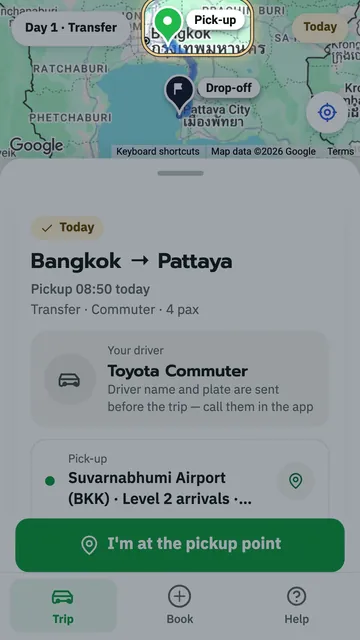
On your travel day: see your driver's name, the plate and photos of the van, watch the van coming live on the map, and get an alert when it is near.
Key moments
- On your travel day, open your trip link. This box is your driver.
- The big text is your driver's name.
- This frame is the van's plate. Check it when the van arrives.
- The round picture on the left is the van. Tap it to see more.
- These are real photos of this van: the front, the back and both sides.
- When you're done, tap the X, top left.
- The two buttons on the right call or chat with your driver.
- When your driver sets off, the bar at the top says, Your driver is coming. Your phone says it out loud too.
- The numbers on the left show the time and distance before the van arrives.
- On the map, the van icon is your van, in real time.
- For a bigger map, tap this small bar.
- On the full-screen map, you see the van heading to your pick-up.
- Tap the bar again to go back.
- When the van is close, this alert pops up.
- The bar at the top says, Almost here, with the plate to look for.
- Look for the van with the plate in this frame.
- You can follow your van all the way to the pick-up.
 1:46
1:46 1:13
1:13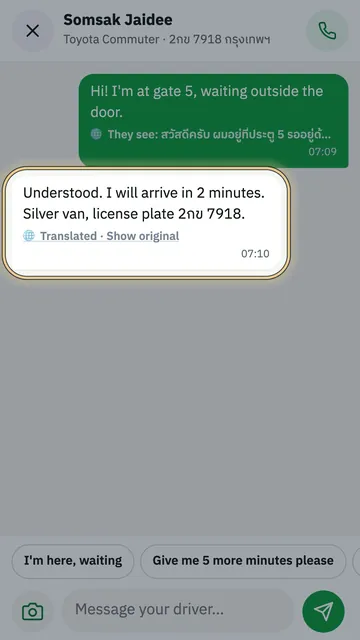 1:21
1:21 0:48
0:48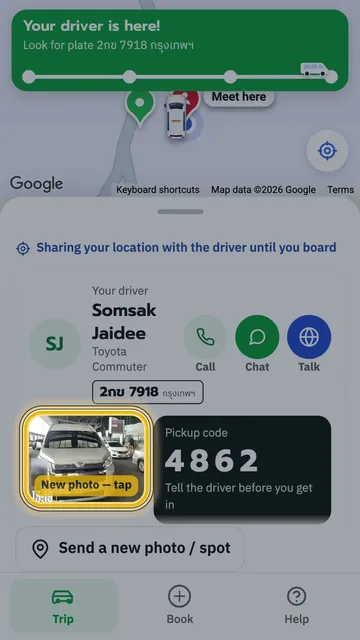 1:18
1:18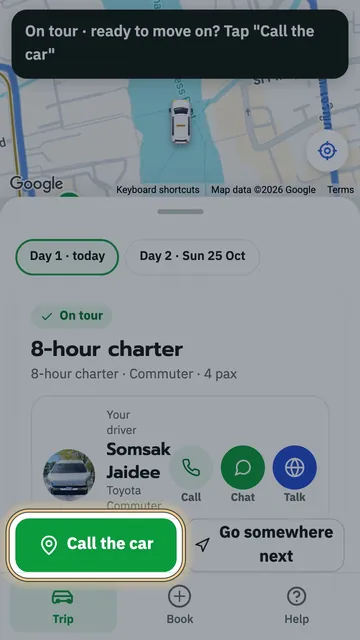 1:22
1:22