
Part 6 of 7
Part 6: Travel day: meet your driver at the pickup point
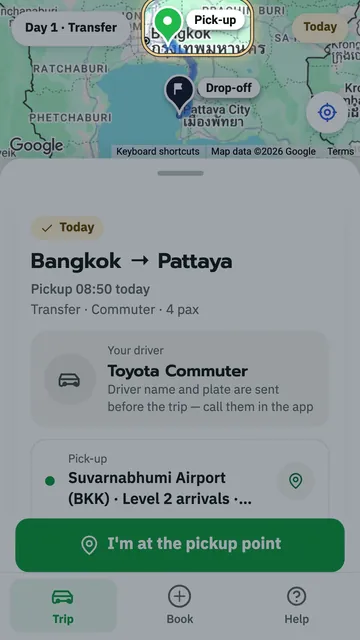
Travel day: at the pickup point tap "I'm at the pickup point", send a photo of where you stand, the driver drives to you, check the plate and tell the 4-digit code.
Key moments
- At the pickup point, tap the green button, I'm at the pickup point.
- The red pin in the middle marks where you're waiting.
- The target button on the right uses your phone's real location.
- In this box, add a landmark, like the gate or the floor.
- The camera button takes a photo of the gate or your spot.
- The photo shows up here for your driver.
- Then tap the green button, Send to the driver.
- Sent. Your location is shared with the driver until you board.
- If you move, tap this button to send a new spot.
- When your driver arrives, the top bar says, Your driver is here. Your phone says it too.
- The blinking picture is the driver's photo of where the van is parked. Tap it to see it.
- See where the van is, then walk to it.
- Tap the X, top right, to close the photo.
- Check that the van's plate matches this frame.
- Tell the driver this four-digit code before you get in.
- Once you're on board, the top bar says, Taking you there.
- Your driver comes to the spot you sent. Have a safe trip!
 1:46
1:46 1:13
1:13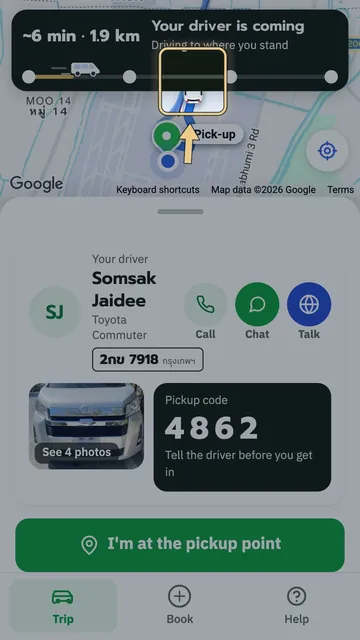 1:17
1:17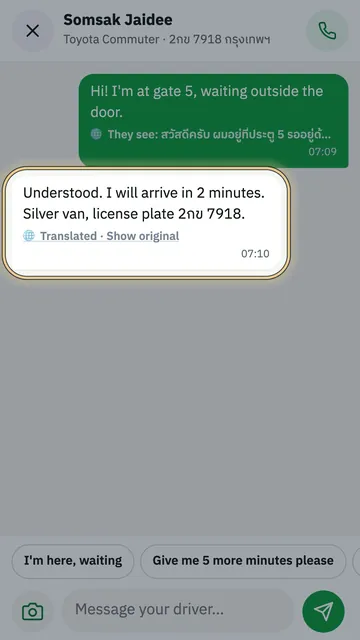 1:21
1:21 0:48
0:48 1:22
1:22